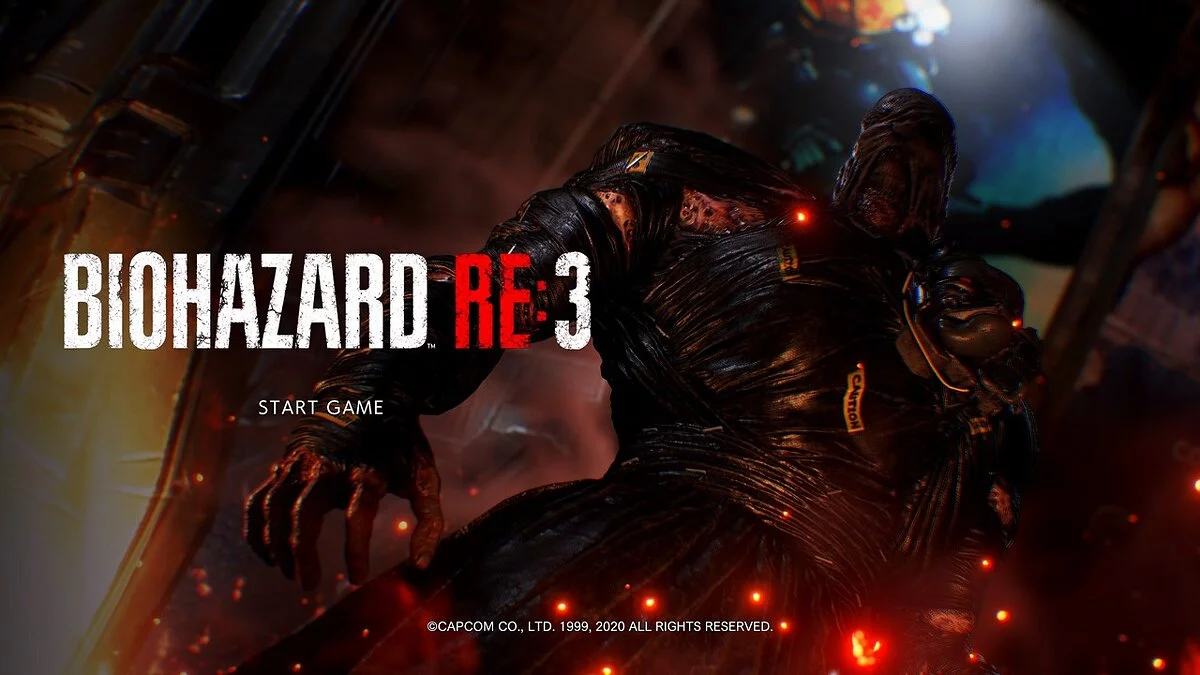
![Resident Evil 3 — Tabla para Cheat Engine [UPD: 14.06.2020] / Tablas / Trucos](https://files.vgtimes.com/si/gameprev_61792_768_1792171084.webp "Resident Evil 3 — Tabla para Cheat Engine [UPD: 14.06.2020] / Tablas / Trucos")
A re-release of the legendary fixed-camera action horror game Resident Evil 3: Nemesis. Get ready to dive back into the chaos of a dying Raccoon City as Jill... Leer más
Tabla para Cheat Engine [UPD: 14.06.2020]
![Resident Evil 3 — Tabla para Cheat Engine [UPD: 14.06.2020]](https://files.vgtimes.com/download/posts/2020-06/thumbs/1592223276__6owzm9uvunxtm0jc6mqhg.webp)

-
1592223252_1592223252_re3.zipDescargar (18.85 kB)
inmortal — invulnerabilidad
- la salud aún puede disminuir, pero no morirás.
- salud mínima permitida por defecto: 360
- ten en cuenta que si la salud mínima es <= 360, aunque la mordida mortal de los zombis no se activará como el juego pretende, aún podrías ser asesinado por el agarre mortal de Nemesis cuando estés en estado de salud peligroso. puede que lo revise cuando se lance el juego. mientras tanto, si no quieres correr el riesgo, puedes aumentar el valor a >= 360, o simplemente usar el mod de esquiva perfecta juntos.
sin recarga — sin recarga
- ¡DESACTIVA la recarga automática en el menú de opciones del juego primero!
- te permite disparar el arma sin ningún cargador de munición.
- el cargador de munición aún disminuirá hasta que llegue a cero.
ignorar bolsa de munición — ignorar municiones
- te permite recargar tu arma sin ninguna bolsa de munición.
mod de munición perforante — mod de munición
- cuando se activa, te permite explotar la cabeza de los zombis o explotar cualquier extremidad de un golpe con CUALQUIER arma según varias configuraciones.
- 1. activación de partes del cuerpo
-- por ejemplo, si se habilita la "cabeza", se explotará con un golpe, sin importar cómo estén configuradas las otras opciones.
-- puedes elegir qué parte(s) del cuerpo usar la munición perforante con cada golpe.
-- configuraciones predeterminadas: tanto las extremidades superiores como inferiores están habilitadas.
- 2. activación de contraataque de esquiva perfecta
-- los ataques durante un contraataque de esquiva perfecta tendrían el efecto de munición perforante, sin importar cómo estén configuradas las otras opciones.
-- por ejemplo, si el objetivo es un zombi humanoide, explotarás la cabeza inmediatamente durante el contraataque de esquiva perfecta.
- 3. activación de tecla
-- el ataque tendría el efecto de munición perforante si sostienes la tecla especificada cuando atacas, sin importar cómo estén configuradas tus otras opciones.
-- tecla predeterminada: CapsLock.
- 4. activación de controlador
-- igual que la activación de tecla, excepto que es para un botón de controlador de tu elección.
- a pesar del nombre del script, el efecto también se aplicaría al cuchillo. por ejemplo, con la configuración predeterminada del script, intenta hacer un contraataque de esquiva perfecta con el cuchillo...
mod de esquiva perfecta — mod de esquiva perfecta
- cuando se activa, te permite activar la esquiva perfecta automáticamente sin necesidad de usar realmente la tecla de esquiva en el juego, según la configuración de estos 4 elementos, activación de oportunidad, activación de estado de salud, activación de tecla y activación de controlador.
- la esquiva perfecta no se activará correctamente cuando estés CORRIENDO, en su lugar, simplemente ignorarás el daño previsto.
- activación de oportunidad:
-- cuando un ataque enemigo conecta, una esquiva perfecta tiene una oportunidad de activarse automáticamente por este valor.
-- el valor está en %, un valor inferior a 0 se trataría como 0, y un valor superior a 100 se trataría como 100. predeterminado: 50%.
-- establecer esto en 100 significa que una esquiva perfecta siempre se activaría automáticamente cuando un ataque enemigo conecta, incluso si no se cumplen las configuraciones de los otros 2 elementos.
- activación de estado de salud:
-- cuando un ataque enemigo conecta, una esquiva perfecta se activaría automáticamente si estás en ese estado, incluso si no se cumplen las configuraciones de los otros 2 elementos.
-- el valor puede cambiarse entre desactivado, precaución (ámbar) y peligro (rojo). predeterminado: peligro.
- activación de tecla:
-- si sostienes esta tecla, cuando un ataque enemigo conecta, una esquiva perfecta se activaría automáticamente, incluso si no se cumplen las configuraciones de los otros 2 elementos.
-- la tecla puede cambiarse eligiendo de la lista desplegable de la entrada. predeterminado: BARRA ESPACIADORA.
-- cuando un zombi te agarra, siempre que sostengas la tecla especificada durante la lucha, las mordidas del zombi no te harán daño en absoluto.
-- se recomienda usar la misma tecla que tu tecla de esquiva en el juego, de esta manera, además de sostener la tecla cuando estás rodeado por una multitud de zombis, puedes hacer una esquiva perfecta más fácil cuando te enfrentas a algunos zombis solitarios. es decir, si esquivas demasiado pronto, simplemente sigue sosteniendo la tecla y aún puedes hacer una esquiva perfecta cuando el ataque conecta; si esquivas demasiado tarde, puedes, nuevamente, simplemente seguir sosteniendo la tecla y el zombi no te hará daño durante el agarre.
- activación de controlador:
-- igual que la activación de tecla, excepto que es para el controlador.
mod de vómito de parásitos — mod de parásitos
- por defecto del script, cuando se activa, presiona CapsLock + Botón Medio del Ratón para vomitar los parásitos.
- cambia el método a "vómito automático", y vomitarás parásitos inmediatamente cada vez que entren en ti sin necesidad de presionar la tecla de acceso rápido.
teclas de caminar lento — movimiento lento
- por supuesto, es lo primero que hice... te permite caminar más lento dependiendo de cuál de las teclas especificadas estés sosteniendo.
- por defecto del script, mantén presionada la tecla CapsLock para caminar más lento, mantén presionada la tecla Alt para caminar aún más lento. ambas teclas y velocidades se pueden cambiar a través de las entradas.
cámara lenta (speedhack) — cámara lenta/speedhack
- simplemente usando el speedhack de CE para manipular la velocidad del juego manteniendo las teclas o el botón del controlador especificado.
- por defecto del script, cuando se activa, mantén presionado el Botón X1 del Ratón y el Botón Derecho del Ratón (es decir, mantén presionado el Botón X1 del Ratón al apuntar) para entrar en cámara lenta usando el speedhack de CE.
- además, puedes mantener presionado el Gatillo Izquierdo en tu controlador para entrar en cámara lenta también.
- puedes cambiar las combinaciones de teclas y la velocidad después de activar el script.
tecla de objeto universal — tecla universal como cualquier objeto
- te permite interactuar con objetos del mundo con cualquier objeto de tu inventario.
- por ejemplo, cortar cualquier cadena con tu cuchillo.
- presiona y mantén presionada la tecla CapsLock (o la tecla que especificaste) al hacer clic en el objeto en el inventario Y al hacer clic en la opción USAR.
- también puedes usar un botón de controlador especificado.
- no debe usarse en objetos del mundo que permiten múltiples objetos (por ejemplo, habitación oscura, rompecabezas de múltiples objetos, etc).
ocultar apariencia de mejora de arma — ocultar apariencia de mejora de arma
- cuando se activa, te permite OCULTAR el cambio de apariencia de algunas de las mejoras del arma.
- por ahora solo cubre la apariencia de mejora de 1 arma, que es la Mira de Punto del G19.
- elige el valor de una mejora para "ocultar" para ocultar el cambio de apariencia de esa mejora, mientras que la mejora instalada aún tendría su efecto intacto. por ejemplo, tienes la Mira de Punto instalada para la Pistola G19, activa el script, establece el valor de "Mira de Punto" en "ocultar". vuelve al juego y cambia de G19 o simplemente dispara/recarga el G19 una vez, y verás que la apariencia de la Mira de Punto ha desaparecido visualmente, pero aún puedes ver el punto en el centro de tu puntería.
elemento destacado — elemento destacado
- puedes cambiar el tipo de objeto y la cantidad del elemento destacado en tu mochila.
- si deseas cambiar algo a un arma:
-- 1. necesitas colocarlo en la caja de almacenamiento y sacarlo antes de poder usarlo realmente. la mejor manera de hacerlo es colocar un objeto en la caja, resaltar dicho objeto en la caja, cambiar ese objeto al arma que deseas, y luego sacarlo.
-- 2. primero necesitas darle el tipo de munición correcto al arma. por ejemplo, si creaste el "Rifle de Asalto CBQR", cambia el tipo de munición a "Munición de Rifle de Asalto".
- si es un arma, el id del objeto sería 0x00000000. si no es un arma, el id del arma sería 0xffffffff. ambos se pueden establecer a través de la lista desplegable.
- no congeles los valores, a menos que sepas lo que estás haciendo..
- si eres nuevo en CE, RECUERDA que no necesitas congelar el valor (es decir, marcar la casilla frente a la dirección) si solo deseas editar el valor.
- *** algunos IDs de objetos son solo residuos de RE2, usarlos puede hacer que el juego se bloquee o generar algún objeto desconocido, realmente no los probé. recuerda compartir~
mod de cámara de seguimiento — mod de cámara
- cuando se activa, te permite manipular la distancia de la cámara cuando no estás apuntando y el desplazamiento de distancia de apuntado.
- por defecto del script, la cámara estaría un poco más atrás que la predeterminada del juego cuando no estás apuntando, la distancia de la cámara de apuntado no cambiará.
- puedes cambiarlas a través de las entradas si no te gustan mis configuraciones.
mod de tiempo de juego — mod de tiempo de juego
- cuando se activa, el tiempo de juego se detendría en el momento que especificaste.
- en detalle, cuando el tiempo alcanza el tiempo de detención especificado, volvería a x minutos atrás, siendo x el tiempo de bucle especificado. tiempo de bucle predeterminado 5 minutos.
- por defecto del script, el tiempo se detendría en 2:30:43. es decir, cuando el tiempo del juego alcanza las 2:30:43, el tiempo comenzaría a ciclar entre 2:25:43 y 2:30:43.
- para una fácil configuración de tiempo de detención, recuerda que debes permitir que CE ejecute LUA cuando abras la tabla.
Proceso de inicio:
1. Inicia Cheat Engine, "Cargar" y selecciona la tabla
2. "Seleccionar un proceso para abrir", selecciona el proceso deseado.
3. Selecciona la opción deseada, marca la casilla.
undead — бессмертие
- health still drop but you won't die.
- default min health allowed: 360
- note that if min health is <= 360, although zombies' killing bite won't be triggered as the game intended, you could still be killed by Nemesis' one-hit-kill grab when in danger health status. may look into it when the game is released. in the meant time, if you don't want to take the risk, you can raise the value to >= 360, or just use perfect dodge mod together.
no reload — без перезарядки
- DISABLE auto-reload in the game option menu first!
- allows you to fire the gun without any ammo clip.
- ammo clip still decrease until it reaches zero.
ignore ammo pouch — игнорировать боеприпасы
- allows you to reload your gun without any ammo pouch.
piercing ammo mod — патрон мод
- when activated, allows you to explode zombies' head off or explode any limbs in one hit with ANY weapons base on various settings.
- 1. body parts trigger
-- for example, if the "head" is enabled, it would be exploded with one hit, no matter how other settings are set.
-- you can choose which body part(s) to use the piercing ammo on with every hit.
-- default settings: both upper and lower limbs are enabled.
- 2. perfect dodge counter trigger
-- the attacks during a perfect dodge counter would have the piercing ammo effect, no matter how other settings are set.
-- e.g., if the target is a humanoid zombie, you explode the head immediately during the perfect dodge counter.
- 3. key trigger
-- the attack would have the piercing ammo effect if you're holding the specified key when you attack, no matter how your other settings are set.
-- key default: CapsLock.
- 4. controller trigger
-- same as the key trigger, except it's for a controller button of your choice.
- despite the script name, the effect would be applied to the knife as well. e.g., with the default settings of the script, try to do a perfect dodge counter with the knife...
perfect dodge mod — идеальный мод Dodge
- when activated, allows you to trigger perfect dodge automatically without the need to actually use the in-game dodge key, base on the setting of these 4 elements, chance trigger, health status trigger, key trigger. and controller trigger.
- perfect dodge won't be triggered properly when you are RUNNING, instead you'd simply ignore the intended damage.
- chance trigger:
-- when an enemy attack connects, a perfect dodge has a chance to be triggered automatically by this value.
-- value is in %, value lower than 0 would be treated as 0, and value greater than 100 would be treated as 100. default: 50%.
-- setting this to 100 means a perfect dodge would always be triggered automatically when an enemy attack connects, even if the other 2 elements' settings aren't met.
- health status trigger:
-- when an enemy attack connects, a perfect dodge would be triggered automatically if you're in that status, even if the other 2 elements' settings aren't met.
-- value can be changed between disabled, caution (amber), and danger (red). default: danger.
- key trigger:
-- if you're holding this key, when an enemy attack connects, a perfect dodge would be triggered automatically, even if the other 2 elements' settings aren't met.
-- key can be changed by choosing from the entry's drop-down-list. default: SPACEBAR.
-- when a zombie grabs you, as long as you're holding the specified key during the struggle, the zombie bites won't hurt you at all.
-- it's advised to use the same key as your in-game dodge key, this way, aside from holding the key when you're surrounded by a crowd of zombies, you can do some easier perfect dodge when you're dealing with some lone zombies. that is, if you dodge too soon, just keep holding the key and you can still do a perfect dodge when the attack connect; if you dodge too late, you can, again, just keep holding the key and the zombie won't hurt you during the grab.
- controller trigger:
-- same as key trigger except it's for controller.
parasite puke mod — мод от паразитов
- by script default, when activated, press CapsLock+Mouse Middle button to puke out the parasites.
- change method to "auto puke", and you'd puke out parasites immediately whenever they enter you without the need to press the hot-key.
slow walk keys — движение шагом
- of course it's the first thing I made... allows you to walk slower depends on which of the specified keys you're holding.
- by script defult, hold CapsLock key to walk slower, hold Alt key to walk even slower. both the keys and the speeds can be changed via the entries.
slow motion (speedhack) — замедление/спидхак
- just using CE's speedhack to manipulate the game speed by holding the specified keys or controller button.
- by script default, when activated, hold Mouse X1 Button and Mouse Right Button (i.e. hold Mouse X1 Button when aiming) would enter slow-motion by using CE's speedhack.
- also, you can hold Left Trigger on your controller to enter slow motion as well.
- you can change the key combinations and the speed after you activated the script.
universal item key — универсальный ключ как любой предмет
- allows you to interact with world objects with any item from your inventory.
- for example, cut any chains with your knife.
- press and hold CapsLock key (or the key you specified) when clicking on the item in the inv AND when clicking on the USE option.
- you can also use a specified controller button as well.
- should not be used on world objects that allows multiple items (e.g., dark room, multi-items puzzle, etc).
hide weapon upgrade appearance — скрыть внешний вид улучшения оружия
- when activated, allows you to HIDE appearance change of some of the weapon's upgrade.
- it only covers 1 weapon's upgrade appearance for now, which is G19's Dot Sight.
- choose the value of an upgrade to "hide" to hide the appearance change of that upgrade, while the installed upgrade would still have its effect intact. e.g., you have Dot Sight installed for G19 Hanggun, activate the script, set the value of "Dot Sight" to "hide". back to the game and switch out and in to G19 or just fire/reload the G19 once, an you'll see the Dot Sight appearance is gone visually, but you still can see the dot at the centre of your aim.
highlighted item — выделенный элемент
- you can change item type and quantity of the highlighted item in your backpack.
- if you want to change something to a weapon:
-- 1. you need to place it in the storage box and take it out before you can actually use it. best way to do is to place an item into the box, highlight said item in the box, change that item to the weapon you want, then take it out.
-- 2. you need to give the correct ammo type to the gun first. e.g., if you created the "CBQR Assault Rifle", change the ammo type to "Assault Rifle Ammo".
- if it's a weapon, item id would be 0x00000000. if it's not a weapon, weapon id would be 0xffffffff. both can be set via the drop-down-list.
- don't freeze the values, unless you know what you are doing..
- if you are new to CE, REMEMBER you don't need to freeze the value (i.e., put a tick in the box in front of the address) if you just want to edit the value.
- *** some item IDs are just left over from the RE2, using them may crash the game or generate some unknown item, didn't really test them out. remember to share~
follow cam mod — мод на камеру
- when activated, allows you to manipulate the camera distance when you're not aiming and the aiming distance offset.
- by script default, the camera would be a little bit further back than the game's default when you're not aiming, the aiming camera distance won't be changed.
- you can change them via the entries if you don't like my settings.
game play time mod — мод игрового времени
- when activated, game play time would stop at the time you specified.
- in details, when the time reaches the stop time specified, it'd loop back to x minutes ago, x being the loop time specified. default loop time 5 mins.
- by script default, time would stop at 2:30:43. i.e., when the game time reaches 2:30:43, the time would start cycle between 2:25:43 — 2:30:43.
- for easy stop-time setting, remember you have to allow CE to run the LUA when you open the table.
Процесс запуска:
1. Запустить Cheat Engine, "Load" и выбрать таблицу
2. "Select a process to open", выбрать нужный процесс.
3. Выбрать нужную опцию, поставить крест.
Archivos relacionados:
Enlaces útiles:
![Resident Evil 3 — Entrenador (+13) [1.1]](https://files.vgtimes.com/download/posts/2020-04/thumbs/1586297496_f-wf1xphefzjql3yllmaga.webp)
![Resident Evil 3 — Entrenador (+12/+15/+16+/18/+20) [1.0 - ACTUALIZACIÓN: 30.09.2020]](https://files.vgtimes.com/download/posts/2020-10/thumbs/1601975064_kh2r5vf0yaruowthqm7oia.png.webp)
![Resident Evil 3 — Entrenador (+12) [DEMO]](https://files.vgtimes.com/download/posts/2020-03/thumbs/1584792959_uyfjhreitafwngz7ixugfg.webp)
![Resident Evil 3 — Entrenador (+6) [UPD:10.2020]](https://files.vgtimes.com/download/posts/2021-02/thumbs/1613478267_giapo5re_ioyzvpad1v4ow.webp)
![Resident Evil 3 — Tabla para Cheat Engine [1.0 - ACTUALIZACIÓN: 03.04.2020]](https://files.vgtimes.com/download/posts/2020-04/thumbs/1585952062_kizjhebzexlat4sub8jx6g.webp)
![Resident Evil 3 — Tabla para Cheat Engine [ACTUALIZACIÓN: 18.04.2020]](https://files.vgtimes.com/download/posts/2020-04/thumbs/1587300303__6owzm9uvunxtm0jc6mqhg.webp)

![Resident Evil 3 — Entrenador (+9) [DEMO]](https://files.vgtimes.com/download/posts/2020-03/thumbs/1584828692_ww4pz6-se2n5phzdgq92ia.webp)
![Resident Evil 3 — Tabla para Cheat Engine [ACT: 21.06.2022]](https://files.vgtimes.com/download/posts/2022-06/thumbs/1655890909_capsule_616x353.webp)